Admonish the Callout

Alert triangle with an exclamation icon

Micro.blog has recently enabled Hugo v0.158.0 for usage. The last version available to users was v0.117.0 and v0.140.0. And as Jason has pointed out on his blog, there are some big changes.

One of the changes of note was the inclusion of render hooks for callouts included in v0.132.0. This is coupled with the enhancements in v0.134 makes it more compatible with GitHub, Obsidian, and Typora.

The whole goal of this is to have markdown text like the following

> [!NOTE]
> Useful information that users should know, even when skimming content.

generate HTML and have the browser render into the following example

In case there is an error with processing the markdown, I’ve placed a static version of the HTML in this document below.

I wanted to implement this because I sometimes play around with Obsidian and I really enjoy Otávio’s plugin to publish to Micro.blog. With this, I can have the website follow the behavior of reading mode in Obsidian. I started writing this post in December of 2024. I ran into some issues along the way, but I kept coming back to this. At this point, some of the references are no longer available. My desire for writing in a way where I would use this functionality is no longer there.

But, it’s cool, and I know that there might be someone out there who can use this.

I set up a gallery of examples using the list of callouts from the Obsidian Callout Manager. You can look at the text used to make the examples to see if this is something that you want to incorporate into your writing.

If you have any questions or suggestions, feel free to email me.

Resources

I’m leaning heavily on the resources that I’ve found on the internet. I want to take a moment to recognize their work and others can get it directly from the source.

Nicholas Martignoni’s Hugo Notice
This is a plugin that I saw a while ago and was thinking about putting into my theme before the official release of render hooks.
Liu Jinyi
This is where I got the final design for the admonitions from. I decided to make some changes so that it matches the style that I wanted to go for. At beginning of this project, the build system I was using did not allows for sass.

Creating the callout

HTML structure of the callout where an aside element contains two nested elements; a header and a div. The header contains a svg and h3 tag.
Diagrams help me think of the overall structure as a combination of different blocks.

When it comes to designing, I like to take inspiration from what is already available. I spent a lot of time goofing off researching how other people have implemented this and tried static version of those in my theme to see what I liked and didn’t like. Sometimes this takes up a lot of time as I try to understand why the original authors make certain decisions. Is it a technical or design choice that makes someone use <blockquote> or <div> for the final product?

This article about pullquotes better articulates why I use <aside> instead of <blockquote>. I have seen people use <figure>, but choose not to because I feel that figures are an essential part of the document while <aside> is additive.

I also went with a <header> inside of the admonition in the hopes that I’ll better understand how the different pieces come together. In addition, I used the <h3> tag to meet up with the heading convention that I’ve been using. I see the callouts as section of the document that contains information

I placed the content in a <div> for logistics and styling.

Iconic Icons

For the <svg>, I took some time to understand how they work in HTML and Hugo. I was already in the process of adding SVG icons to the site to make it stand out more. SVG stands for Scalable Vector Graphics. They are text representation of a graphic that we can embed within the document for the browser to render.

These are some that popular sites where you can get SVGs.

tabler icons
When I started looking into adding icons, this was one of the first links that came into my search.
font awesome
This is where Roneo got his icons. It’s a great option that is used in a lot projects on the internet.
Simple Icons
Another good set of icons.
Lucide
These are the icons that GitHub uses.
Iconify Design
This is a nice directory of icons that show you a small preview of the style icon libraries.

If you use any of these options, I want to encourage you to make a donation so that they can continue with the cool stuff that they are providing.

I went with the tabler icons, because I felt that the rounder style matches the ascetic that I’m going for when I started the site.

I’m in the process of implementing icons within my markdown after reading an article about SVG imbeds1 but that’s for a future post.

If you are into reading more about SVGs, there is a free book on SVG that I’m thinking about adding to the list.

Static Structure

The resulting static HTML that I created to do my color styling looks similar to the following.

<aside class="admonition note">
  <header class="admonition-header">
  <svg
    xmlns="http://www.w3.org/2000/svg"
    width="24"
    height="24"
    viewBox="0 0 24 24"
    fill="none"
    stroke="currentColor"
    stroke-width="2"
    stroke-linecap="round"
    stroke-linejoin="round"
    class="icon icon-tabler icons-tabler-outline icon-tabler-note">
    <path stroke="none" d="M0 0h24v24H0z" fill="none"/>
    <path d="M13 20l7 -7" />
    <path d="M13 20v-6a1 1 0 0 1 1 -1h6v-7a2 2 0 0 0 -2 -2h-12a2 2 0 0 0 -2 2v12a2 2 0 0 0 2 2h7" />
  </svg>
  <h3>Note</h3>
  </header>

  <div class="admonition-content">
    Useful information that users should know, even when skimming content.
  </div>
</aside>

Styles and colors

For the initial implementation, I wanted to get the 5 states defined in the GitHub documentation which are note, tip, important, warning, and caution. This took longer than it should because I was having trouble deciding on what icon I should use for note and important because of the different samples I was pulling from contradict.

I placed static copies of the HTML in a page with the first line changed to the corresponding type as the class.

For example, the class for tip would look like this:

<aside class="admonition tip">

I then created a separate CSS file and linked it in the site header. I’m hoping that it will make things easier to find and modify styles in the future2. Since I’m working from Jinyi’s code as my base, I start off with the basic admonition and a note.

 1
 2
 3
 4
 5
 6
 7
 8
 9
10
11
12
13
14
15
:root {
  --admonition-color: var(--accent, #5e81ac);
}

.admonition {
  margin: 1em;
  padding-left: 0;
  
  border: 2px solid var(--admonition-color);
  border-left: 6px solid var(--admonition-color);
  border-right: 3px solid var(--admonition-color);
  border-radius: var(--border-radius, 1em);
  
  box-shadow: 0 2px 4px var(--admonition-color);
}
Line 2
I define the default color for the admonitions to be the accent color of my site with a default value in case someone takes this file and attempts to use it by itself.
Line 9-12
I use the --admonition-color to set the borders appropriately.
Line 14
I use a box-shadow to give the callout some depth.
 1
 2
 3
 4
 5
 6
 7
 8
 9
10
11
12
13
14
15
16
17
18
19
20
21
22
.admonition-header {
  padding: 0.5rem;
  display: flex;
  align-items: stretch;
  
  border-bottom: 1px solid rgba(0, 0, 0, 0.1);
  border-radius: 0 var(--border-radius, 10px) 0 0;
  color: var(--admonition-color);
  background: 
    color-mix(in srgb, currentColor, transparent 75%);
  
  svg {
    width: 1.1em;
    height: 1.1em;
    margin-right: 0.5rem;
  }

  h3 {
    color: var(--text);
    font-size: large;
  }
}
Line 7
Defines the upper right hand corner to be rounded to fit within the containing admonition. I attempted to use inherit but it wasn’t working.
Line 8
This is where the magic happens and we start seeing the Cascade portion of CSS. This makes the forefront/currentColor --admonition-color. This is used in fonts and any svgs that are in the header.
Line 10
I didn’t want to define two colors and found this tip on stack overflow to do a transparency translation of it.
Line 19-20
These are there to make some adjustments for contrast and size.

After that, I add a little bit of styling for the contents.

.admonition-content {
  padding: 0.5rem;
}

After that, we look at our base example.

Admonition undefined in lightmode.

Here it is without the rendering.

With this, I can change the color based off the alert.

.admonition.note {
  --admonition-color: #096ae1;
}

If I want to have the same color for multiple alerts, I can add an extra line for it.

.admonition.danger,
.admonition.warning {
  --admonition-color: orangered;
}

Implementing the Render Hook

I started with the example from the blockquote/alert documentation and I was really happy to know that it worked correctly by simply creating the file and putting the sample code in. Making the changes to the HTML tags was also pretty straight forward.

 1
 2
 3
 4
 5
 6
 7
 8
 9
10
11
12
13
14
15
16
17
18
19
20
21
22
23
24
25
26
27
28
29
30
31
32
33
34
35
36
37
38
39
{{- $icons := dict
  "caution"     "alert-triangle.svg"
  "idea"        "bulb.svg"
  "important"   "info-circle.svg"
  "info"        "info-circle.svg"
  "note"        "note.svg"
  "tip"         "bulb.svg"
  "warning"     "exclamation-circle.svg"
}}


{{- if eq .Type "alert" }}
{{- /* Render admonition. */}}
{{- $type := cond (index $icons .AlertType) .AlertType "info" }}
{{- $iconFile := printf "admonitions/icons/%s" (index $icons $type) -}}

<aside class="admonition {{ .AlertType }}">
  <header class="admonition-header">
    {{ if templates.Exists (printf "partials/%s" $iconFile) }}
    {{- partialCached $iconFile . }}
    {{- end }}
    {{- with .AlertTitle }}
    <h3>{{ . }}</h3>
    {{- else }}
    <h3>{{ or (i18n .AlertType) (title .AlertType) }}</h3>
    {{- end }}
  </header>
  {{- with .Text }}
  <div class="admonition-content">
    {{ . }}
  </div>
  {{- end }}
</aside>

{{ else }}
<blockquote>
  {{ .Text }}
</blockquote>
{{ end }}
Line 1-9
Create a dictionary to match which image goes to a specific image. Jinyi used the icon set from font-awesome so the names are not an exact match. I started off with just the basics and add info because I was working on this late at night and couldn’t remember if it was info or important that was part of the five initial alerts.
Line 12
The render hook will parse the different blocks of text and will set a flag on whether this block is an alert or not.
Line 14
Look in the dictionary for the alert type that was given by the user. If the alert type isn’t there, it will use info as the default. I decided that if I don’t have an icon in mind, I want it to show up as information to be given to the user.
Line 15
This specifies the path to the SVG that we’re going to use. I had attempted to use the method from Ronoe to load image from the assert directory but I didn’t understand the code at this point in time. I used a different variable for the file name because I didn’t want to confuse myself later on.
Line 17
Specify the alert type in the class list for the admonition to use the proper styling.
Line 19-20
Hugo loads the contents of the partial if it exist and puts it in the output. It’s a safe guard in case I add an image to the icons dictionary but don’t upload the file. In addition, there was a change to the templating system introduced in v0.146.0 that renamed partial to _partial. Be aware of that when implementing this on your own.
Line 22
Check if there is an alert title and place it in the heading on the following line.
Line 25
If the title isn’t there, we use the alert type for the heading. All the examples that I’ve seen also include the step of sending it through i18n for internationalization. One thing I noticed, is that it capitalized the alert properly before I created the associated translation file. I might just leave it that way because I’m currently the only one using this theme.
Line 28
This checks for the content of the alert and places it in a <div> for the admonition.
Line 35
If there isn’t an alert, text is processed as if it was a normal <blockquote> element.

Further callout options

After the initial creation of the render hook, I took some time away from the project. Some of the people that create content that I enjoy use Obsidian on a regular basis for writing and the ever growing list of what that application can do. Someone pointed out that there is a Callout Manager and the default has more than the list that I originally created. Other tools also have a wider assortment. I added a couple more to the dictionary, but I noticed that this would get tedious to add keys that would go to the same value. For example, in my list info and important use the same image.

So, after a little bit of trial and error, I was able to put together the following code block

1
2
3
4
5
6
{{- /* Define a list of keys that should share the same icon */ -}}
{{ $keys := slice "important" "warning" "error" }}
{{- range $keys }}
  {{- /* Merge each key into the dictionary with the same icon value */ -}}
  {{- $icons = merge $icons (dict . "exclamation-circle.svg") }}
{{- end }}
Line 2
Place the keys that I want to have the same image
Line 3
Tells go to loop through all the keys that are defined
Line 5
Creates a small dictionary with the key and the name of the image. Then it merges that dictionary with the icon dictionary and saves it.

I’m still a beginner at the go programming language and I don’t know if this is saving by value or reference. I also don’t know if this is more performant than having a longer dictionary with all the values. I’m hoping that the comments and this article helps me remember this the next time I want to add something.

Making it a little more accessible

During this development process, I noticed that one example would load the SVG and add aria-hidden="true" to make screen readers skip over the image without alternative text. I edited the SVG files that I use to have this additional line and played with the idea of adding aria-labelledby but I don’t have a way of reliably setting it and don’t know how this would improve the user experience.

The same example, also set the title, but I didn’t use this as this images are purely decorative. You can read this article about knowing the different use cases for aria visibility.

What’s the next step?

I feel the next step that I would like to pursue is to get get the colors to work better in the dark mode of my theme. I don’t feel that the contrast is good enough for warning and I’m thinking about moving to CSS colors such as blue or rebeccapurple instead of hexidecimal values. I’ve already done one like the following

.admonition.important {
  --admonition-color: light-dark(rebeccapurple, mediumorchid);
}

I’d also like to adjust the alignment of the icons. I don’t know if this is because I took the examples from different icons that are sized differently or if having the icon outside of the <h3> is causing more issues than it’s worth.

As always, I appreciate any feed back and I hope this article finds you well.


  1. By the time I got ready to publish this article, the site was no longer available. I’m hoping that it’s just a temporary shutdown until this person has the domain refreshed. ↩︎

  2. I have had to stop myself a couple times from trying to find the best way to deliver the HTML/CSS for this feature. Should I have separate files with style rules that I might not use or put it inline and worry that I might have an article that use dozens of these things? I feel shipping is more important. ↩︎

A tour of the theme

Table of Contents

The first thing

One morning, when Gregor Samsa woke from troubled dreams, he found himself transformed in his bed into a horrible vermin. He lay on his armour-like back, and if he lifted1 his head a little he could see his brown belly, slightly domed and divided by arches into stiff sections. The bedding was hardly able to cover it and seemed ready2 to slide off any moment. His many legs, pitifully thin compared with the size of the rest of him, waved about helplessly as he looked. “What’s happened to me? " he thought. It wasn’t a dream.

His room, a proper human room although a little too small, lay peacefully between its four familiar walls. A collection of textile samples lay spread out on the table - Samsa was a travelling salesman - and above it there3 hung a picture that he had recently cut out of an illustrated magazine and housed in a nice, gilded frame. It showed a lady fitted out with a fur hat and fur boa who sat upright, raising a heavy fur muff that covered the whole of her lower arm towards the viewer. Gregor then turned to look out the window at the dull weather.

I ought to just try that with my boss; I’d get kicked out on the spot. But who knows, maybe that would be the best thing for me. If I didn’t have my parents to think about I’d have given in my notice a long time ago, I’d have gone up to the boss and told him just what I think, tell him everything I would, let him know just what I feel. He’d fall right off his desk!4 And it’s a funny sort of business to be sitting up there at your desk, talking down at your subordinates from up there, especially when you have to go right up close because the boss is hard of hearing. Well, there’s still some hope; once I’ve got the money together to pay off my parents’ debt to him - another five or six years I suppose - that’s definitely what I’ll do. That’s when I’ll make the big change. First of all though, I’ve got to get up, my train leaves at five. " And he looked over at the alarm clock, ticking on the chest of drawers. “God in Heaven! " he thought. It was half past six and the hands were quietly moving forwards, it was even later than half past, more like quarter to seven. Had the alarm clock not rung? He could see from the bed that it had been set for four o’clock as it should have been; it certainly must have rung. Yes, but was it possible to quietly sleep through that furniture-rattling noise?

The Second Thing

Pack my box with five dozen liquor jugs. Several fabulous dixieland jazz groups played with quick tempo. Back in my quaint garden, jaunty zinnias vie with flaunting phlox5. Five or six big jet planes zoomed quickly by the new tower. Exploring the zoo, we saw every kangaroo jump and quite a few carried babies. I quickly explained that many big jobs involve few hazards. Jay Wolf is quite an expert on the bass violin, guitar, dulcimer, ukulele and zither. Expect skilled signwriters to use many jazzy, quaint old alphabets effectively. The wizard quickly jinxed the gnomes before they vaporized. THE QUICK BROWN FOX JUMPED OVER THE LAZY DOG’S BACK 12345678906.

The Third Thing

Lorem ipsum dolor sit amet, eu detracto senserit vis, ei natum ridens detracto sit. Id iriure prompta vix. Sit ea feugiat invenire similique, etiam solet eleifend cu per. Ea falli nullam elaboraret vis, modo percipitur omittantur at ius, in quo nullam timeam ocurreret. Est ad deleniti corrumpit scripserit, te usu apeirian recusabo oportere, nemore laboramus vulputate te vim. Ea eum mazim iudicabit, harum utroque pri ne.

Per no putant iriure intellegebat. Tamquam maiorum ei eum, ea iuvaret maluisset liberavisse eam, adhuc falli tamquam ius te? Eu amet virtute scaevola est, simul nusquam invidunt duo id, at usu sanctus abhorreant definiebas! Vide ullum quo cu? Ius in forensibus sadipscing, dicant aperiri volutpat et sit.


Veri dicat pro te, an aliquam reprimique cum, et pro commune maiestatis. Nec ex amet eleifend definitiones! An adipisci consequuntur est. In quot oratio vis. Vide nobis aperiam pri ad, et sit dictas adolescens inciderint, pertinacia referrentur consequuntur pri id?

Some more examples

bold and italics

strikethrough and bold

strikethrough and italics

bold, italics and strikethrough

I am going to use the example from the footnote documentation7.

Remember, you have within you the strength, the patience, and the passion to reach for the stars to change the world.

  • Harriet Tubman

Figures and Images

Using Short codes

Dave Herring

Here’s another.

Dave Herring

Raw HTML

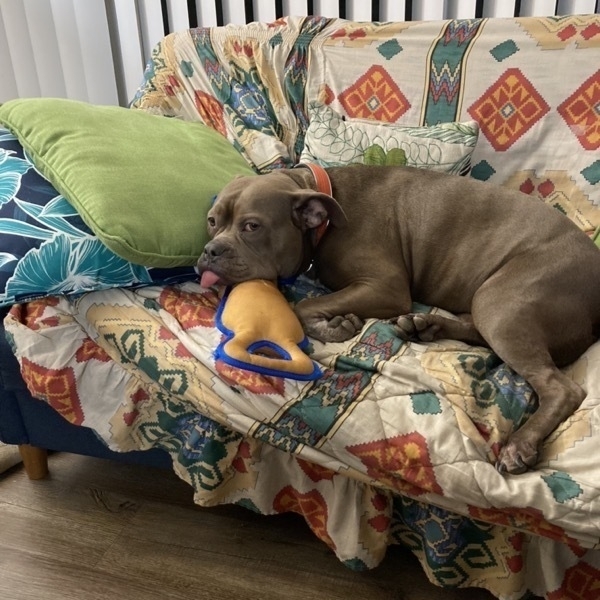
Lillie on couch Lillie on the Couch

Images with titles example

Whipped cream in coffee mugSame image with different alt text

Tasklists

  • an unchecked task list item
  • checked item

A little bit more

  • Write the press release
  • Update the website
  • Contact the media
  • foo
    • bar
    • baz
  • bim

Tables

A couple examples of a markdown table.

First Header Second Header
Content Cell Content Cell

This is a bigger table

Bigger Table Second Header Third Header
Content Cell Content Cell Content Cell

The following is from multimarkdown.

Grouping
First Header Second Header Third Header
Content Long Cell
Content Cell Cell
New section More Data
And more With an escaped ‘|’

I hope the following work as well. It was found on a page showing github markdown.

Tables Are Cool
col 3 is right-aligned $1600
col 2 is centered $12
zebra stripes are neat $1

This is a table with more content. These were taken from https://markdown-it.github.io/ and https://michelf.ca/projects/php-markdown/extra/#table.

Option Description
data path to data files to supply the data that will be passed into templates.
engine engine to be used for processing templates. Handlebars is the default.
ext extension to be used for dest files.

Right aligned columns

Option Description
data path to data files to supply the data that will be passed into templates.
engine engine to be used for processing templates. Handlebars is the default.
ext extension to be used for dest files.

Centered values

Item Value
Computer $1600
Phone $12
Pipe $2

Something else

Function name Description
help() Display the help window.
destroy() Destroy your computer!

Hello

Italic default Bold default Strikethrough default Code default
italics bold strikethrough code

  1. This is a random footnote for when I’m writing things ↩︎

  2. Longer footnote: He must have tried it a hundred times, shut his eyes so that he wouldn’t have to look at the floundering legs, and only stopped when he began to feel a mild, dull pain there that he had never felt before. “Oh, God”, he thought, “what a strenuous career it is that I’ve chosen! Travelling day in and day out. ↩︎

  3. I think that this is good enough. ↩︎

  4. This is going to be a really long essay. ↩︎

  5. A footnote in the middle of a larger paragraph has a footnote somewhere else. ↩︎

  6. These were all alternatives to the famous pangram for testing fonts found here↩︎

  7. The first paragraph of the footnote.

    The second paragraph of the footnote.

    A blockquote with multiple lines. (This should be on second line)

    a code block
    

    A final paragraph in the same foot note. ↩︎

Admonition Test

Testing something out.

I hope that this works.

Everything

Goal for this document

I wanted to make a page that contained most if not all of the different things that you would find in a blog post written in Markdown. For simplicity, I’ll stick to what is found in Python-Markdown as it is the one that I use most.

Basic Syntax

This sentence as emphasied and bold text.

This sentence has emphasis and bold text combined.

This sentence has code written in it.

This sentence has strikethrough written in it.

This is a sentence with a link.

Multiple Paragraphs of text

Pack my box with five dozen liquor jugs. Several fabulous dixieland jazz groups played with quick tempo. Back in my quaint garden, jaunty zinnias vie with flaunting phlox1. Five or six big jet planes zoomed quickly by the new tower. Exploring the zoo, we saw every kangaroo jump and quite a few carried babies. I quickly explained that many big jobs involve few hazards. Jay Wolf is quite an expert on the bass violin, guitar, dulcimer, ukulele and zither. Expect skilled signwriters to use many jazzy, quaint old alphabets effectively. The wizard quickly jinxed the gnomes before they vaporized. THE QUICK BROWN FOX JUMPED OVER THE LAZY DOG’S BACK 12345678902.

Lorem ipsum dolor sit amet, eu detracto senserit vis, ei natum ridens detracto sit. Id iriure prompta vix. Sit ea feugiat invenire similique, etiam solet eleifend cu per. Ea falli nullam elaboraret vis, modo percipitur omittantur at ius, in quo nullam timeam ocurreret. Est ad deleniti corrumpit scripserit, te usu apeirian recusabo oportere, nemore laboramus vulputate te vim. Ea eum mazim iudicabit, harum utroque pri ne.

Per no putant iriure intellegebat. Tamquam maiorum ei eum, ea iuvaret maluisset liberavisse eam, adhuc falli tamquam ius te? Eu amet virtute scaevola est, simul nusquam invidunt duo id, at usu sanctus abhorreant definiebas! Vide ullum quo cu? Ius in forensibus sadipscing, dicant aperiri volutpat et sit.

Veri dicat pro te, an aliquam reprimique cum, et pro commune maiestatis. Nec ex amet eleifend definitiones! An adipisci consequuntur est. In quot oratio vis. Vide nobis aperiam pri ad, et sit dictas adolescens inciderint, pertinacia referrentur consequuntur pri id?

Images

Simple Place holder.

Large image

Large image 1024 by 768

Images in a paragraph

Square place holder image before paragraph. Yar Pirate Ipsum. Rutters log red ensign bring a spring upon her cable Pirate Round prow fathom. Snow broadside Arr poop deck hardtack lad barkadeer. Cat o’nine tails handsomely fire ship reef bring a spring upon her cable yardarm jury mast. Hang the jib mutiny execution dock cutlass Sail ho furl ye. Barque crimp aye fore nipper yo-ho-ho grog. Crack Jennys tea cup Brethren of the Coast weigh anchor spanker port rutters jack.

Man-of-war tender lanyard piracy yard prow case shot. Bilge brig six pounders loot landlubber or just lubber me salmagundi. Chantey keelhaul Pieces of Eight hail-shot mutiny brigantine barque. ![Square place holder image in middle of paragraph.](https://placehold.co/100" C/O https://placeholder.com/") Dead men tell no tales American Main parrel code of conduct haul wind hornswaggle Admiral of the Black. Cable no prey, no pay bilge rat swab wherry boom run a shot across the bow. Run a shot across the bow skysail strike colors Sail ho lateen sail wench Barbary Coast.

Lists

There are two kinds of lists with

Ordered lists

  1. First item

  2. Second item

    Second paragraph of Second item

  3. Third item

A small paragraph before the second list.

  1. Forth item - If this doesn’t start with 4 than smart list are not on.

    • Nested unordered list item 1

    • Nested unordered list item 2

    • Nested unordered list item 3

  2. Fifth item

  3. Six item

Unordered lists

  • First item.

  • Second item. This second item has two paragraphs in it.

    This is the second paragraph of the second item. (Not confusing at all.)

    Block quote in the unordered list

    Followed by a code block:

    {
      "firstName": "John",
      "lastName": "Smith",
      "age": 25
    }
    
  • Third item.

    1. Nested ordered list item 1

    2. Nested ordered list item 2

    3. Nested ordered list item 3

  • Forth item.

Footnotes

I am going to use the example from the footnote documentation3.

Block quote

Something simple should go here.

Remember, you have within you the strength, the patience, and the passion to reach for the stars to change the world.

  • Harriet Tubman

Sometimes you might have nested block quotes.

You miss 100% of the shots you don’t take.

  • Wayne Gretzky
  • Michael Scott

Tables

This is my tables section. These were taken from https://markdown-it.github.io/ and https://michelf.ca/projects/php-markdown/extra/#table.

Option Description
data path to data files to supply the data that will be passed into templates.
engine engine to be used for processing templates. Handlebars is the default.
ext extension to be used for dest files.

Right aligned columns

Option Description
data path to data files to supply the data that will be passed into templates.
engine engine to be used for processing templates. Handlebars is the default.
ext extension to be used for dest files.

Centered values

Item Value
Computer $1600
Phone $12
Pipe $1
Function name Description
help() Display the help window.
destroy() Destroy your computer!

Misc

These are the things that most people don’t really use.

Definitions

Definitions are a great way to show information.

Apple
Pomaceous fruit of plants of the genus Malus in the family Rosaceae.
An American computer company.
Banana
A tropical plant of the genus Musa.
Orange
The fruit of an evergreen tree of the genus Citrus.
Pinapple
A tropical fruit from the Bromeliaceae family.
Mango
A juicy stone fruit (drupe) from numerous species of tropical trees belonging to the flowering plant genus Mangifera, cultivated mostly for their edible fruit.
Complex definitions
Term 1

This is a definition with two paragraphs. Lorem ipsum dolor sit amet, consectetuer adipiscing elit. Aliquam hendrerit mi posuere lectus.

Vestibulum enim wisi, viverra nec, fringilla in, laoreet vitae, risus.

Second definition for term 1, also wrapped in a paragraph because of the blank line preceding it.

Term 2

This definition has a code block, a blockquote and a list.

code block.

block quote on two lines.

  1. first list item
  2. second list item

Code blocks

import logging
# This line is emphasized
# This line isn't
# This line is emphasized

def func():
    # function body
    someValue = "func called"
    logging.info(someValue)

if __name__ == '__main__':
    func()

Abbreviations

The HTML specification is maintained by the W3C. This example taken from https://python-markdown.github.io/extensions/abbreviations/

*[HTML]: Hyper Text Markup Language

*[W3C]: World Wide Web Consortium

Task Lists

This is fairly new to markdown.

  • Write the press release
  • Update the website
  • Contact the media
  • foo
    • bar
    • baz
  • bim

  1. A footnote in the middle of a larger paragraph has a footnote somewhere else. ↩︎

  2. These were all alternatives to the famous pangram for testing fonts found here↩︎

  3. The first paragraph of the footnote.

    The second paragraph of the footnote.

    A blockquote with multiple lines. (This should be on second line)

    a code block
    

    A final paragraph in the same foot note. ↩︎

I spent a lot of time working on something this morning that ultimately did not work.

Alright, today is a good day to start something. Or, we can continue with what we’re doing. It’s really up to you.

I responded to this post

I liked this post

I liked this post

Messing around with web mentions again test 1

I’m thinking that I might need to place the response in a div within my larger post.

Webmention Rocks Test 1
Just adding to the noise.

For everyone else, I hope that I’m able to write this up and look cool.